
Every result has a history.
Titer brings scattered lab reports into one record, with the original page behind every reading. It is in private, personal use today.

From a folder of reports to a history you can follow.
Titer keeps the report and the reading connected. It checks extracted values before accepting them, brings compatible units together, and leaves uncertain matches for a person to review.
Keep the source
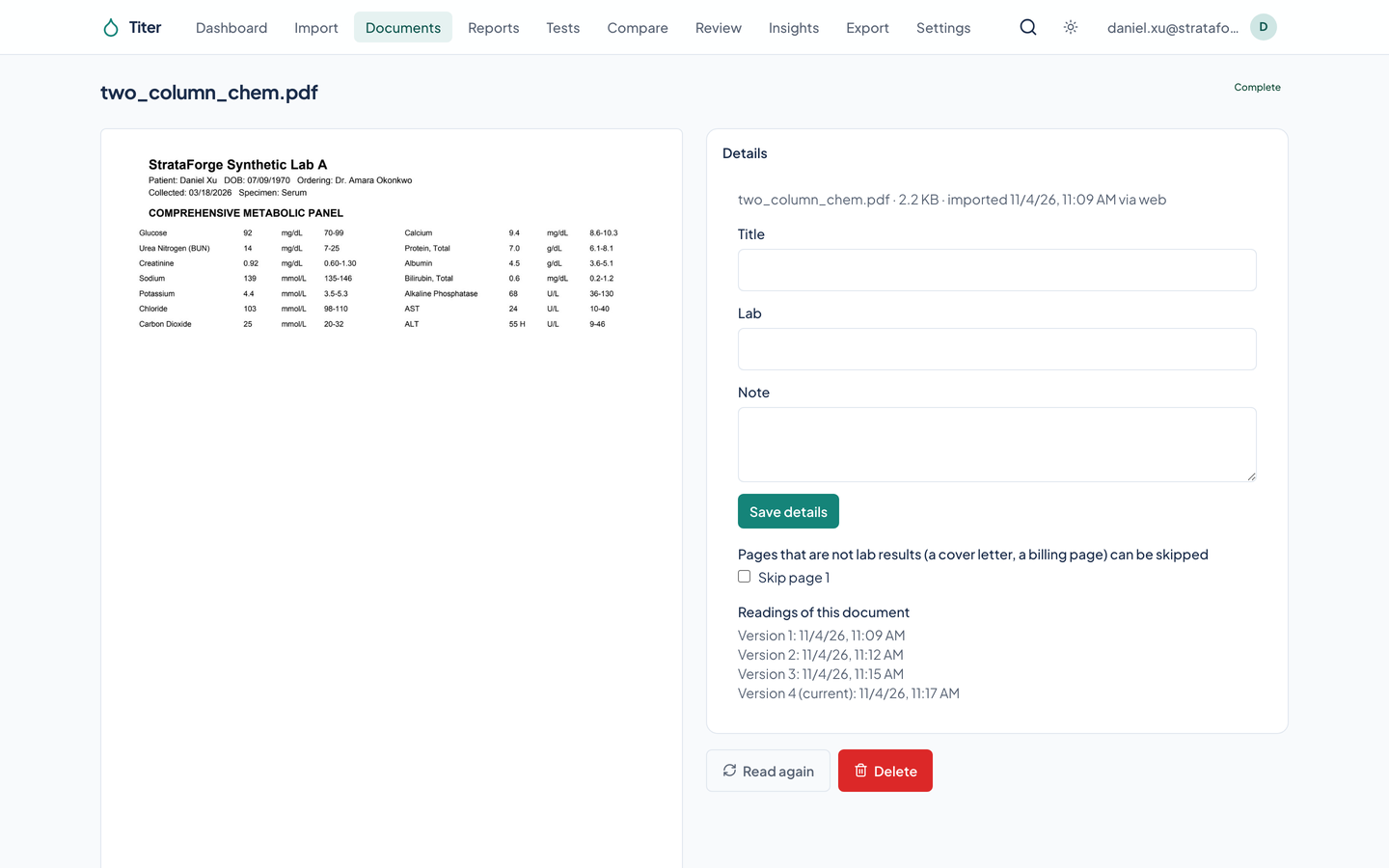
PDFs and photos belong together
Import PDFs, scans, and photos, including several photos grouped as one report. Titer stores the original bytes before processing and keeps each original encrypted.
- Read, then check
- A reading from a PDF is checked against the page’s text. For an image-only page, a second independent model read must agree. A disagreement stays visible for review.
Make the history usable
One test across different reports
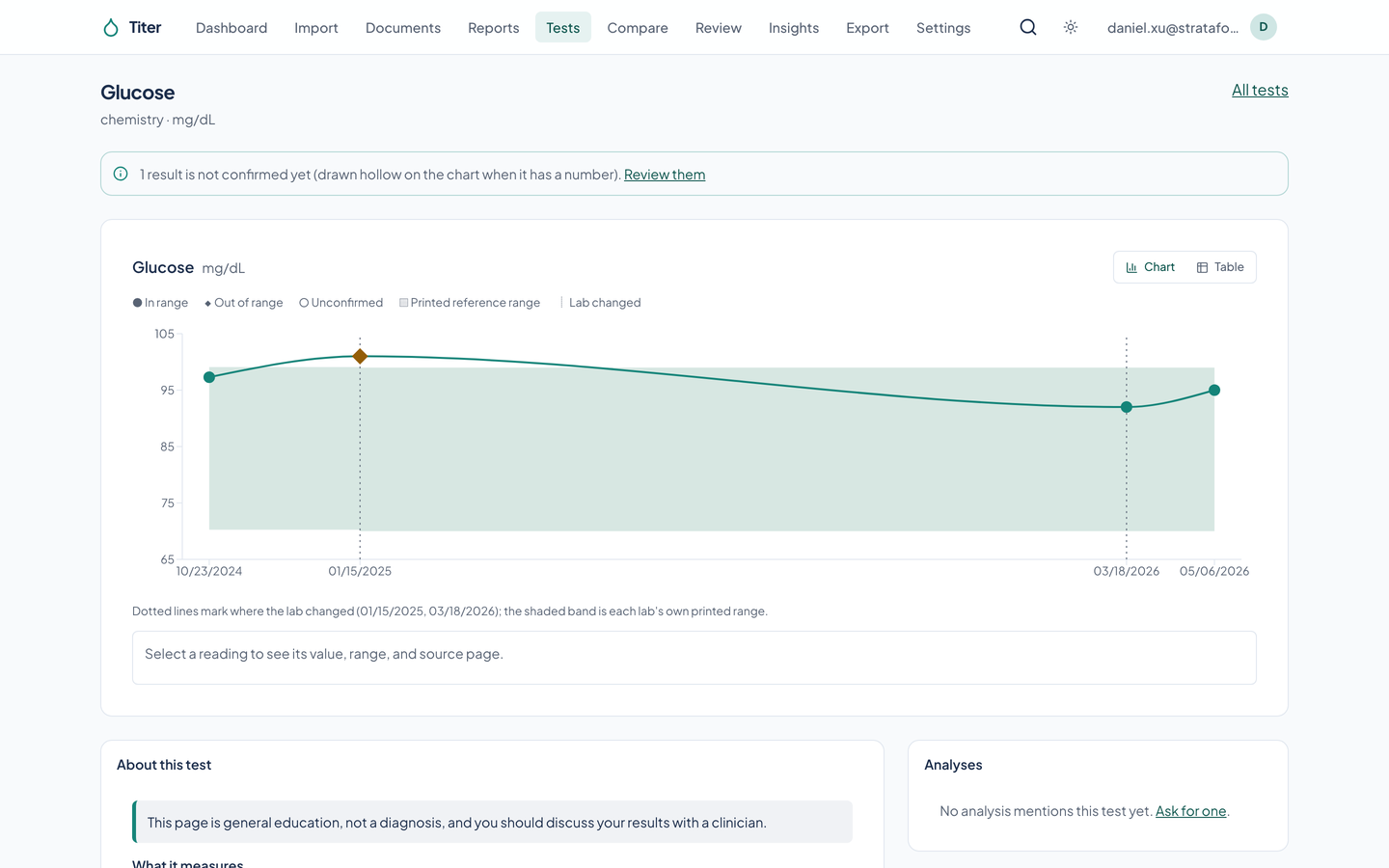
Names are matched to a test catalog, and compatible units are converted using that test’s conversion. The printed name, unit, range, and value stay with the result.
- Follow the changes
- Open one test’s chart or table, select a point, and return to its source page. Compare several tests on a shared time axis, with a separate scale for each.
Review what needs a second look
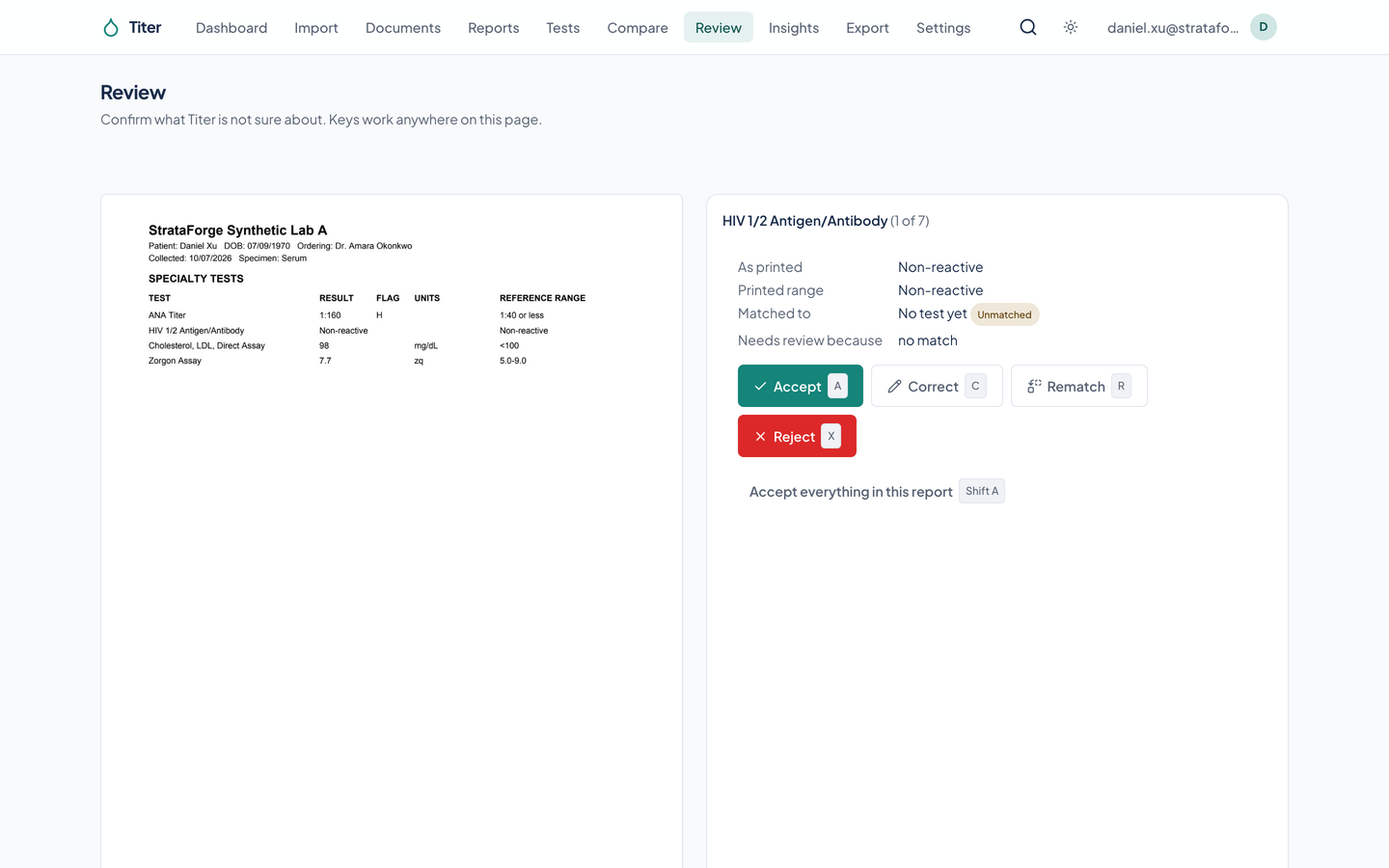
An unmatched or uncertain result waits beside the source page. Accept it, correct the reading, or choose a different test. A confirmed match can teach a lab-specific alias.
Bring the record with you
A useful starting point for a visit
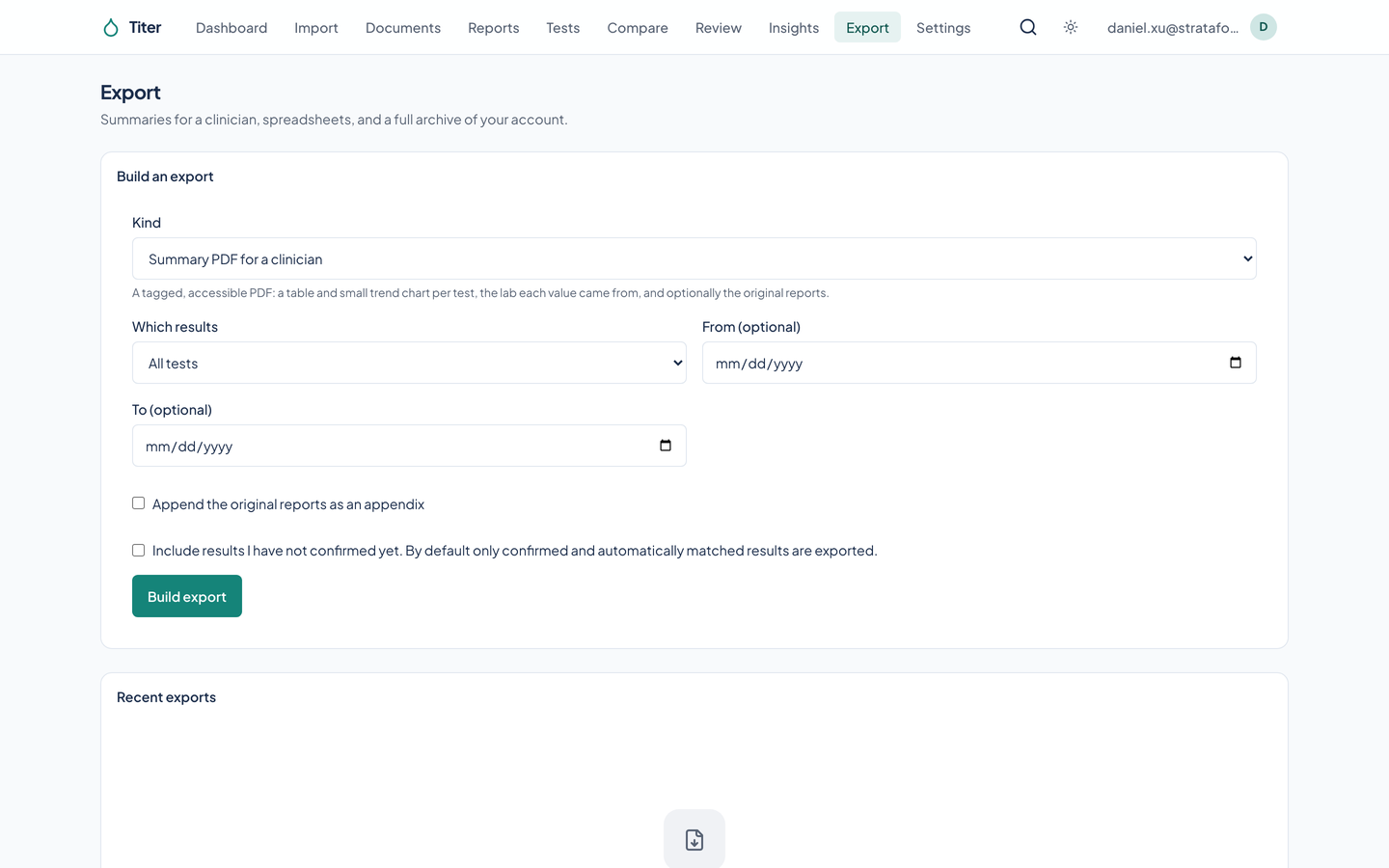
Export a summary PDF, a CSV table, a FHIR R4 bundle, or a full archive. A summary can include original reports as an appendix.
Know which readings need attention
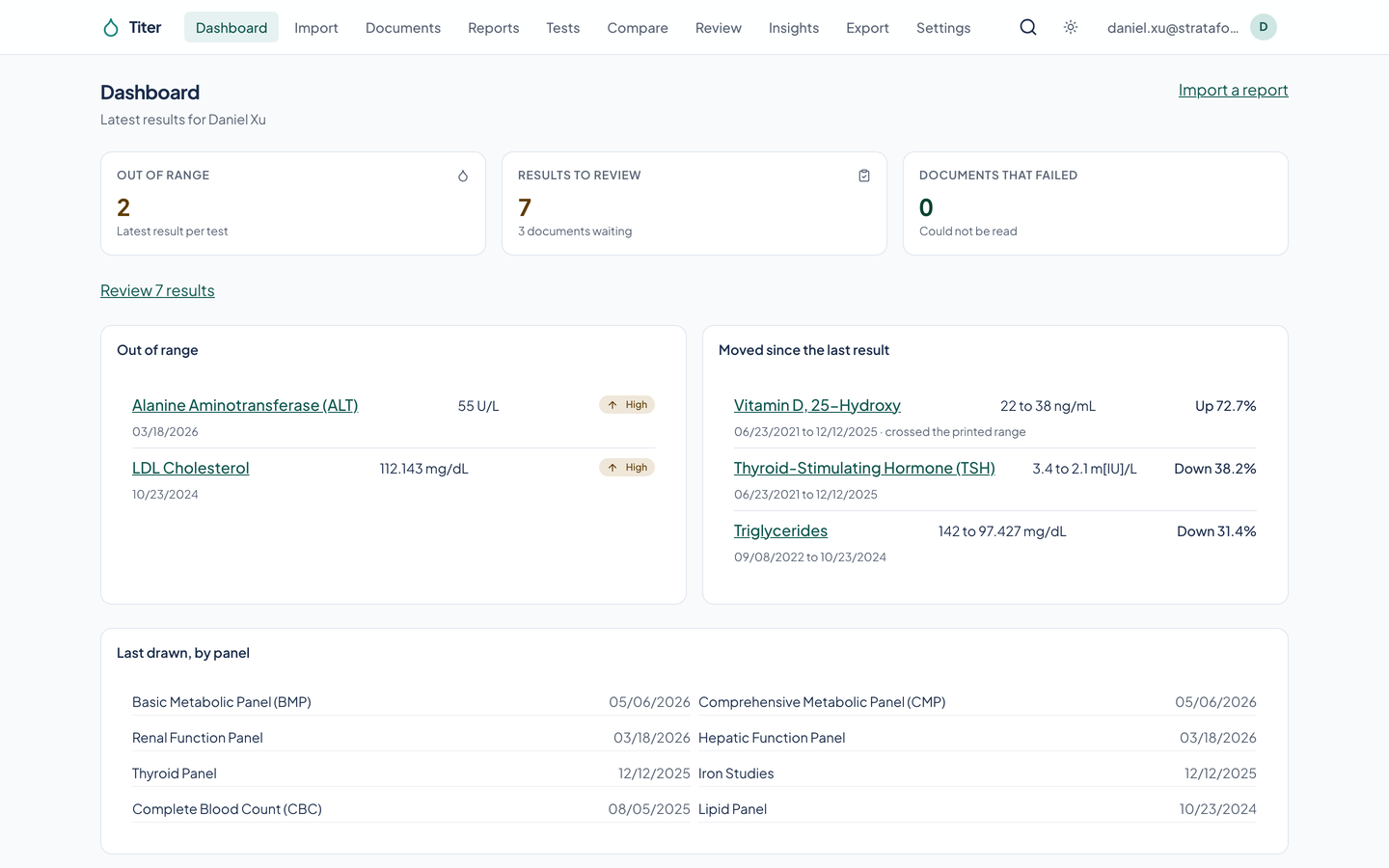
The dashboard gathers latest out-of-range readings, changes since the previous result, and items waiting for review. A flag describes the report’s range; it does not make a diagnosis.
- Privacy is part of the record
- The code encrypts documents and free text before storage, requires a second factor in deployed sign-in, and records access in an append-only log. Read the controls and their limits on the Privacy page.
A report keeps its paper trail.
Import
Add a PDF or photos. The original is encrypted and kept before any reading begins.
Check
Extract readings
Review
Work through uncertain values and matches beside the original page.
Follow
Read the history in a chart or table
Built so everyone can use Titer.
Titer pairs charts with tables, marks results by shape as well as color, and includes keyboard controls for charts and review. The evidence below distinguishes automated checks from hands-on assistive technology testing.
Partly supported
Keyboard operation
A scripted run selected a glucose chart point with an arrow key, opened its table, and opened and closed the review correction form by keyboard. This is not a complete keyboard-only journey.
Partly supported
Screen reader landmarks and labels
Automated axe-core checks found no violations on eleven views at phone and desktop widths in both themes. No screen reader test has been performed.
Supported
Contrast in light and dark
axe-core found no color-contrast violations on the eleven scanned views in light and dark at both tested widths.
Not yet tested
Reduced motion
Reduced-motion behavior has not been tested across all product interactions.
Not yet tested
Text resize and zoom
Resizing text to 200 percent has not been tested.
Supported
Mobile and touch
All eleven scanned views fit a 375-pixel screen without horizontal page overflow in both themes. Touch operation has not been tested on a physical phone.
Under the hood
| Reports |
|
|---|---|
| Results |
|
| Exports |
|
| Privacy |
|
| Software |
|
| Stands in for | Scattered report folders, Manually copied result spreadsheets |
Questions people ask
Can I use Titer?
Titer is in private, personal use today. This site shows what it does. Write to contact@renkara.com with questions.
Is Titer medical advice?
Titer is for general education and record keeping, not medical advice; talk to a clinician about your results. A range or a trend cannot explain your health on its own.
Are these someone’s real lab results?
No. Every record and image of a record is synthetic. The running app was seeded with invented reports for Daniel Xu, a fictional person from the StrataForge dataset, at explicitly synthetic labs. No real lab company or patient is shown. Extraction replies come from the app’s recorded test client; these captures do not demonstrate live model accuracy.
What happens when a reading is uncertain?
It waits in the review queue with its source page. You can accept, correct, rematch, or reject it. Unconfirmed results are excluded from analyses and exports unless you choose to include them.
What does the privacy page establish?
It describes the controls implemented in the software and distinguishes deployed configuration from the local capture setup. It is not a compliance certification.
Questions about this tool?
Write to Renkara Media Group and a person will answer.